Lenovo ThinkPad X1 Carbon Gen 12
Core Ultra 5 125U, 16 GB RAM, 512 GB SSD. Arch Linux + XMonad with configuration kept in the public gruvnode repository.
The SSD is LUKS-encrypted because the laptop leaves the house. Updates are manual. Closing the lid does not suspend it — open it again and continue where you left off.
HCL-WS-KATHARINAFAMILY CLIENTToshiba Satellite L500
Old stock L500 upgraded with a WD Blue SSD and the maximum 8 GB RAM. Debian 13 Stable + XFCE, zram-tools and only the applications actually requested: Firefox, LibreOffice, GIMP, Bluetooth and printing.
Used with a Brother SP1 sublimation printer and Cricut. It is the deliberate exception to the lab's manual-update habit: unattended security updates are enabled because the laptop may stay off for a week or two.
HCL-WS-WORKSHOPTOOL TERMINALFujitsu Esprimo P6012 ESTAR
Core i5-12400, 16 GB RAM, 512 GB NVMe, Intel UHD 730, Debian 13 + XFCE. It lives in the workshop near the Suzuki and is used for tutorials, YouTube, Spotify, searches and a terminal.
No personal accounts and no homelab access. It sits in the WLAN/IoT network as a deliberately generic tool computer.
ASUS Eee PC 1005PX
Debian 12 + XFCE. Usually isolated on guest Wi-Fi. Its most important job may still be playing Monkey Island in bed, but an Ethernet cable can turn it into a tiny emergency SSH terminal for a nearby machine.
HCL-WS-PIEXPERIMENTAL SBCRaspberry Pi 3B+
The same physical Pi used for experiments since 2019. It currently runs a tiny solo-mining/CKPool lottery experiment: technically interesting, economically irrelevant.
It has eaten two SD cards and is now on card #3, which is why it gets UPS power even though the workload itself is unimportant. A long-ago fan-pin mistake also supplied the traditional small “brutzel” lesson.
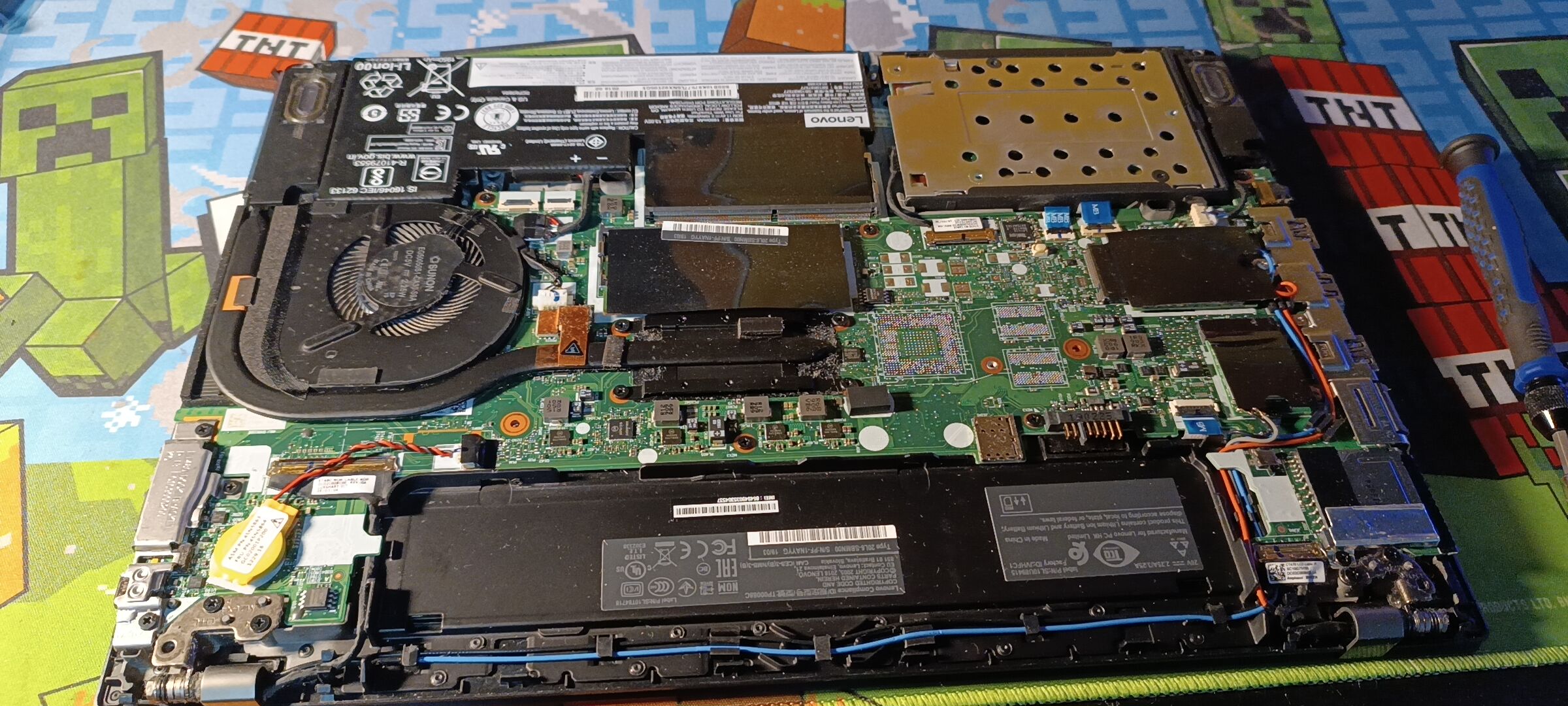
ThinkPad T480
Now sold to a young buyer starting an IT apprenticeship. Before sale it received a fresh SSD, new internal and external batteries, Kryonaut, and the cooler from the dGPU version with the unused contact area insulated.
It left with Debian 13 + dwm and its setup explained rather than wiped into a generic showroom install.