BoringKernel
Its own x86_64 kernel provides memory management, scheduling, process address spaces, Ring 3, syscalls, ELF64 userspace, IPC and hardware-facing subsystems.
An independent x86_64 desktop operating system built from scratch in C — not Linux, not BSD and not a wrapper around another kernel. BoringOS has its own kernel, writable BoringFS filesystem, native Ring 3 userspace, display service and BoringWM desktop. The current M68 physical baseline boots that stack on the real Cthulhu workstation at 1920×1080 with real USB keyboard and mouse input, bounded display-damage presentation and the proven persistent USB-root lifecycle.boring is not a bug. it's the entire operating system now.
The physically accepted M68 1920×1080 reference is commit 7a9594508bc02b6a5c8d5d13c2ed5c858c9cb54e. The earlier low-latency cursor/focus path is physically accepted at c5ded88e3d473162b94f963d9509394246ef782c. Development continues on main; physical checkpoints remain identifiable by commit history.
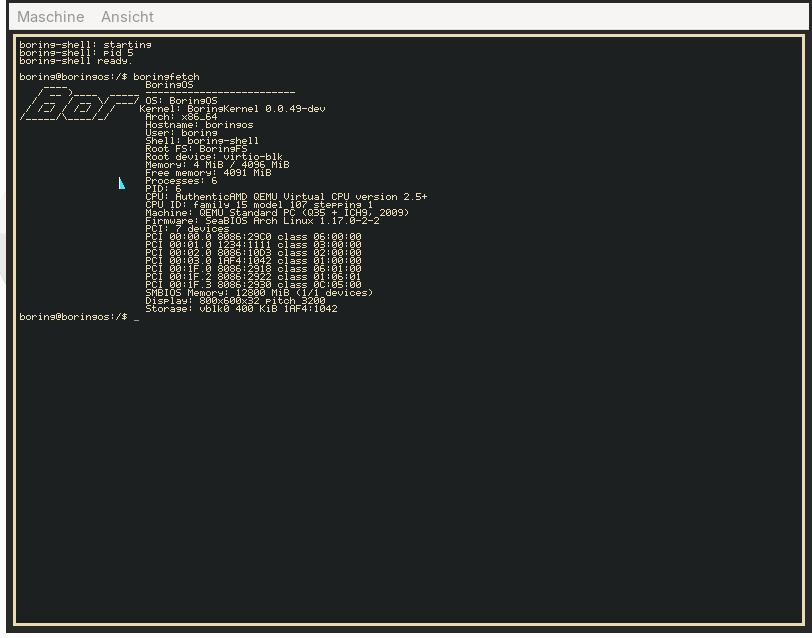
BoringOS is not a Linux distribution, BSD variant or desktop shell on top of another OS. Limine boots it, but the kernel, userspace, filesystem and desktop stack are BoringOS components.
Its own x86_64 kernel provides memory management, scheduling, process address spaces, Ring 3, syscalls, ELF64 userspace, IPC and hardware-facing subsystems.
Its own writable filesystem has a formatter, validator, boringfsck, kernel mount support and a physically proven persistent USB-root lifecycle.
boring-init, boring-display, the shell, PTYs and native applications run on BoringOS's own syscall and VFS layers rather than a Linux or BSD userspace.
The native display service and BoringWM compose the desktop themselves. BoringTerminal, BoringEdit and BoringFiles run without X11 or Wayland underneath.
M68 physically boots the native BoringWM desktop on Cthulhu at 1920×1080. The earlier M66 USB/HID baseline remains intact, including real hub enumeration, keyboard and downstream mouse input.
AMD Ryzen 7 5800X3D, Gigabyte B550 VISION D, 32 GiB installed memory detected through SMBIOS and 57 PCI devices reported by boringfetch.
M68 physically proved the firmware/Limine framebuffer request at 1920×1080×32 with BoringWM, keyboard and mouse working on the real machine.
The direct Holtek keyboard and the ROCCAT mouse behind a real Genesys hub reach BoringOS through its own xHCI/HID stack. Mouse movement drives the software cursor and pointer focus.
PID 1 starts the Ring3 display stack from BoringFS. There is no X11 or Wayland underneath it.
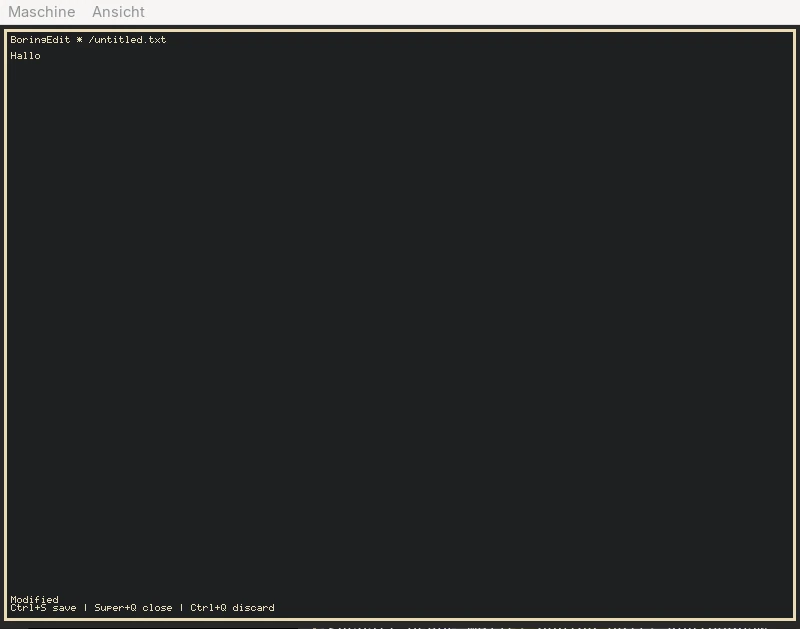
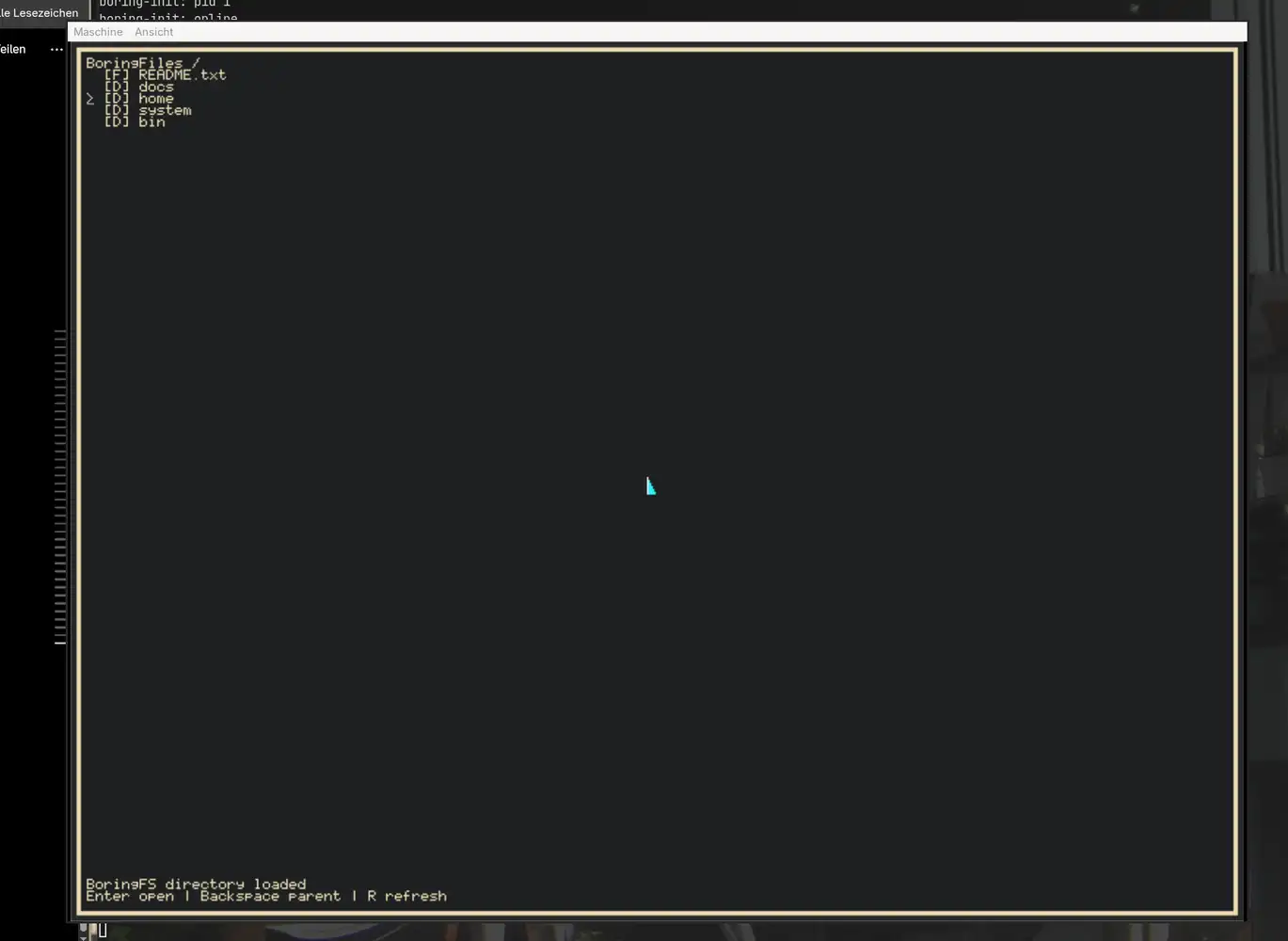
Physical shortcuts include Super+Return, Super+E, Super+F and Super+Q. M62 also physically proved seven terminals plus Edit and Files, full close-down and clean capacity reuse.
M64 removed the single-controller assumption, M65 added bounded downstream hub topology and M66 proves the complete physical path on Cthulhu. M63 remains the separate durability baseline for USB Mass Storage and persistent BoringFS.
BoringOS composes the desktop on the CPU and presents into a firmware/Limine-provided framebuffer. M68 adds bounded client and layout damage while keeping the existing fast cursor/focus paths. There is still no native AMD/NVIDIA/Intel GPU driver.
BoringFS is BoringOS's own filesystem. M63 physically proves mkdir/touch/write on the USB root, real reboot, a second successful mount and the original data still present afterwards.
Own codec, validator, formatter, boringfsck, kernel mount support and writable operation.
xHCI USB Mass Storage, Bulk/BOT/SCSI and the fixed BoringFS slice are physically reached on Cthulhu.
Bounded synchronous AHCI/SATA read, write and flush support remains verified alongside VirtIO reference storage.
M61–M66 established the physical desktop, durability and USB/HID path. The cursor/focus latency fix made pointer interaction responsive, and M68 added a physically tested 1920×1080 desktop plus bounded client/layout damage.
Native Ring 3 desktop, dynamic process/task objects, writable USB-root persistence, real reboot and ACPI S5 shutdown.
Independent USB controllers, real Genesys hub enumeration and downstream ROCCAT mouse input reaching BoringWM.
Bounded cursor presents, input-first focus handling and deferred/coalesced border paints removed the observed pointer stalls.
Higher firmware framebuffer resolution plus bounded client and layout composition/presentation, physically tested on Cthulhu.
Continue reducing avoidable full-frame work and make more practical use of Cthulhu's installed 32 GiB without weakening the proven desktop.
Held-key repeat and a proper German keyboard layout remain separate input-polish work rather than blockers for the current desktop baseline.
These larger system areas remain beyond the current physically proven desktop and storage foundation.
The physical machine is now exposing exactly which bootstrap assumptions should be removed next.
Held USB keys do not typematically repeat yet, and the current keymap is effectively ENG/US rather than a finished German layout.
1920×1080 is physically tested, but multiple windows at that resolution can still be demanding. Native 3440×1440 and GPU acceleration are not implemented.
Cthulhu has 32 GiB installed and BoringOS detects it through SMBIOS; making practical use of the full capacity remains future work.
No networking, audio, NVMe or SMP runtime yet, and no native GPU driver. BoringOS still prefers truthful boundaries over pretend support.
The short answers to the questions people usually ask when they see a hobby operating system with its own kernel and desktop.
No. BoringOS is not a Linux distribution and does not use the Linux kernel. It has its own x86_64 kernel, BoringKernel.
No. It is not BSD and is not a wrapper around another operating-system kernel.
BoringOS-developed system components are written primarily in C, with small isolated x86_64 assembly where the architecture requires it.
Yes. BoringKernel provides the kernel foundation and BoringFS is the writable native filesystem used by the physical USB-root system.
Yes. It is physically tested on Cthulhu; M68 ran the native software-rendered desktop at 1920×1080 with real USB keyboard and mouse input.
Not today. BoringOS is an experimental independent operating-system project, not a claimed daily-driver replacement. Its missing areas are documented explicitly.
main is the active development line. Physically tested checkpoints are preserved by exact commit IDs in repository history, including the M68 1920×1080 reference.