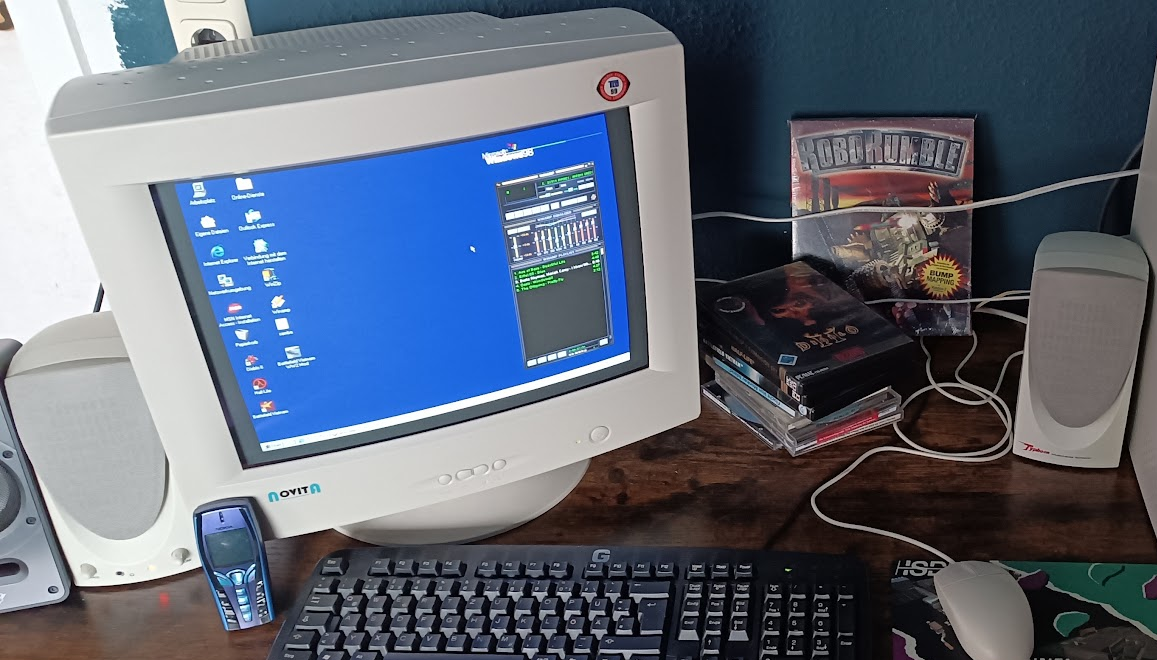
After reinstalling the Windows 98 retro PC, the next step was testing the local ICQ server.
The Linux server speaks the original OSCAR protocol. Because of this, Windows 98 with ICQ and modern Linux systems using Pidgin can communicate with each other exactly as intended.
The test should have been straightforward.
Instead, troubleshooting began.
Objective
Confirm that the freshly installed Windows 98 computer could successfully connect to the locally hosted ICQ server.
The goal was communication between:
- Windows 98 + ICQ
- modern Linux systems + Pidgin
Communication would pass through the locally hosted OSCAR-compatible server.
Initial Test
ICQ refused to connect.
The login never completed.
The Windows 98 machine appeared unable to reach the service.
Troubleshooting
The investigation began immediately.
The server configuration was checked.
The ICQ configuration was checked.
The network connection was tested.
Windows successfully pinged the Linux server.
The Linux server successfully pinged Windows.
The server itself and the network stack were functioning correctly. Everything appeared correct.
Yet ICQ still refused to go online.
The Discovery
Eventually attention shifted away from software.
A temporary Ethernet cable had been installed earlier while copying files directly from a Linux computer to the Windows 98 system. Since both machines stood next to each other, a direct cable connection had been the simplest solution.
After the file transfer finished, that temporary direct Ethernet connection had simply not been removed.
As a result, the Windows 98 computer was still connected directly to the Linux machine instead of its normal network connection through the HP switch.
The Fix
The Ethernet cable was reconnected to the normal network connection through the HP switch.
Nothing else changed.
No configuration changes were required.
No server changes were required.
No ICQ settings were modified.
Result
Only a few seconds later, ICQ connected successfully.
The familiar login sound played.
The first test messages sent from Pidgin immediately appeared on the Windows 98 machine.
The server, Windows 98 installation and ICQ configuration had been correct all along.
The forgotten Ethernet cable had been the only remaining obstacle.
Lesson Learned
Complex troubleshooting often focuses on software, protocols and configuration.
Sometimes the real cause is simply a temporary cable that was never returned to its original place after completing an entirely reasonable task.
Workshop Recordings
These are original historical workshop recordings from the genuine troubleshooting session, not later demonstrations.
Evidence
The hero photograph is documentary evidence of the Windows 98 workstation. The two untrimmed videos are historical workshop recordings of the actual workspace during troubleshooting and the genuine moment when the system connected successfully.